

A Tesla in the garage, surveillance cameras on the facade, shutters and lighting controlled by home automation, smart speakers, smart bulbs… The more connected devices a home has, the harder it becomes to secure — because you can’t install antivirus software on any of them. Here’s why a solution like Firewalla changes the game, and how GET Conseil can help you deploy it.
The real problem: connected devices you can’t protect one by one
A computer or a smartphone, we know how to protect: antivirus, updates, EDR. But a surveillance camera, a smart plug, an EV charger or a home automation hub have neither an interface to install software on, nor the capacity to run an antivirus. They’re black boxes on the network: you don’t always know exactly who they’re talking to, or what they’re sending. The more a connected home grows, the larger this blind spot becomes — and it’s exactly the most equipped households that are the most exposed.
Firewalla: a box that sees everything, without installing anything on your devices
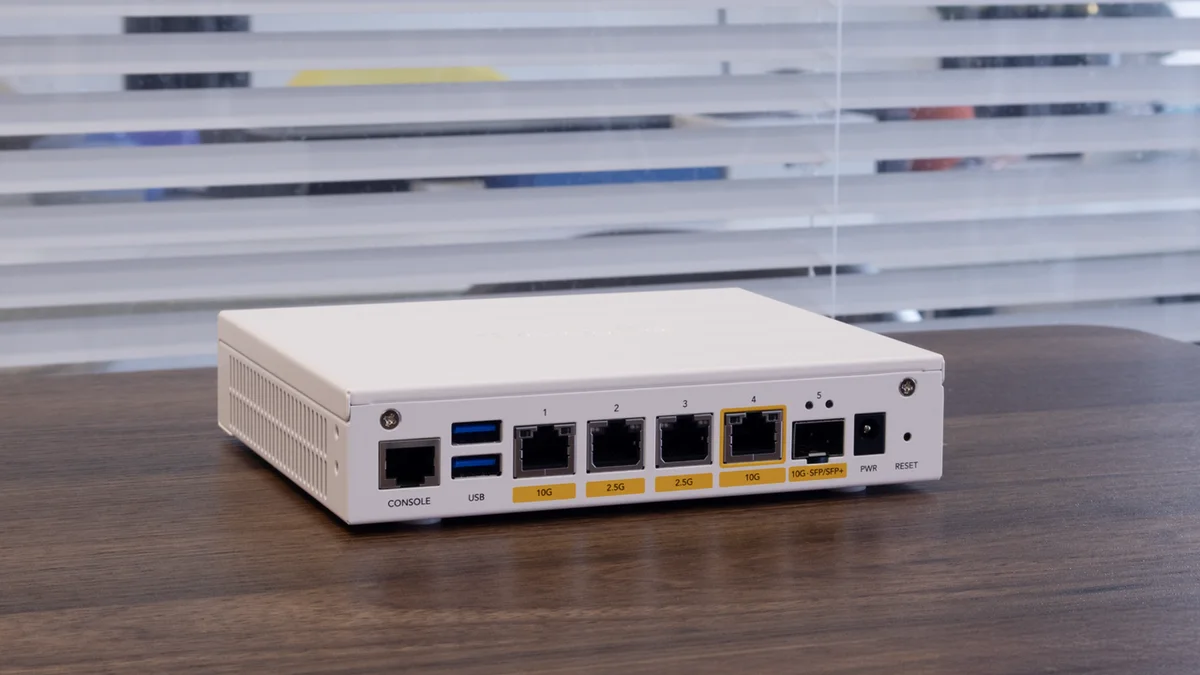
Firewalla is a box that plugs in between your internet router and the rest of your network. There’s nothing to install on your devices: as soon as something connects to the network — Tesla, camera, voice assistant, home automation module — Firewalla detects it automatically and starts observing its traffic. It’s currently one of the only realistic ways to monitor and protect devices you can’t install anything on.
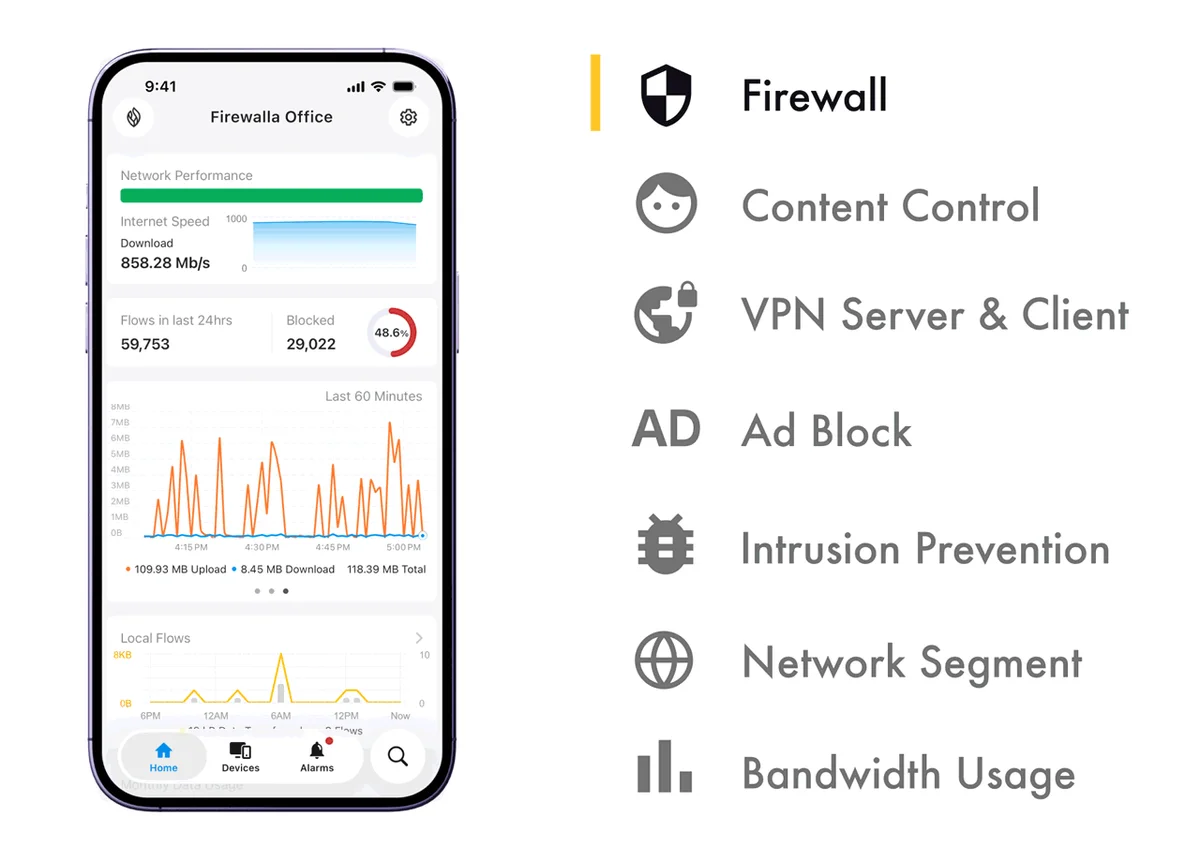
In practice, for every device on the network, you can see exactly which address or domain it’s connecting to, block a suspicious flow in one tap, and get an alert if a device suddenly starts communicating with an unusual destination or at an unusual time. Traffic analysis happens directly on the box, at your home — it isn’t sent off to a third-party data centre for processing.
Controlling what your children see online, without depending on software on every device
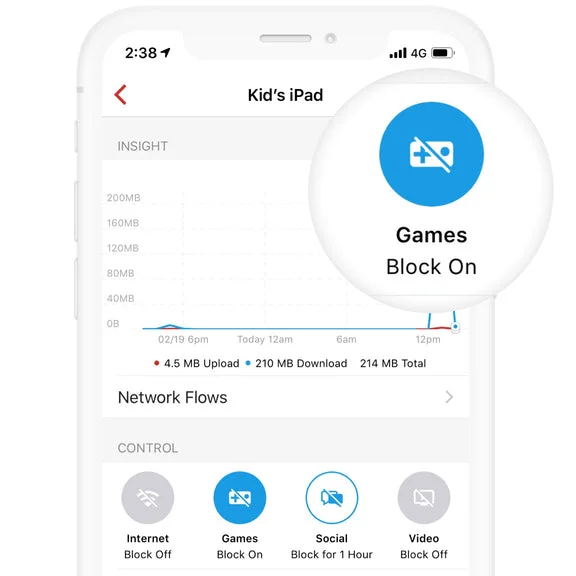
Traditional parental control software has a well-known weakness: it’s installed on a specific device, and a resourceful child can sometimes get around it or simply uninstall it. Firewalla works differently, at the network level itself: rules apply per device or per person, directly from the box, impossible to disable from a tablet or a phone. You can set internet access time windows, filter site categories (adult content, gaming, social media), and even deliberately slow down an app’s connection rather than cutting it off abruptly, to encourage more reasonable use without constant conflict.
Knowing where your connected devices’ data actually goes
Many consumer connected devices — cameras, speakers, some home automation hubs — route their data through cloud platforms based abroad, without the user always having clear visibility into it. Firewalla gives you a direct view of these flows: which device talks to which service, towards which destination. You can then identify a device communicating with a platform you’d rather not use, and cut or limit that specific flow, without disabling the device entirely.
Isolating connected devices from the rest of the network
Beyond visibility, Firewalla lets you segment the network: separating connected devices (cameras, home automation, voice assistants) from your computers and sensitive data, using isolated networks (VLANs). The benefit is direct: if a camera or a consumer connected device turns out to have a vulnerability one day, it stays confined to its own network segment, with no direct access to your work computer or personal files.
How GET Conseil can support you
Firewalla comes in several models, with different throughput capacities and features depending on the size of the household or business and the number of connected devices. GET Conseil supports both small businesses and private individuals in setting up this type of solution: choosing the right model, deployment, network segmentation, configuring parental control or filtering rules to your specific needs — particularly if your setup already combines video protection, home automation and building automation, so everything coexists cleanly on a well-structured network.
Our work doesn’t stop at setup: we systematically build in a knowledge-transfer session at the end of the installation, so you leave knowing how to use the app day to day — checking flows, adjusting a rule, managing your children’s access — without depending on us for every change.
Do I need to uninstall my existing connected devices to use Firewalla?
No. Firewalla plugs in between your internet router and your devices, without changing anything on them. All your connected devices keep working normally, simply under watch.
Can parental controls really be bypassed from my child’s device?
Rules apply at the network level, from the Firewalla box — not from an app installed on the child’s device. They can’t be disabled or uninstalled from the phone or tablet in question.
Does Firewalla replace antivirus software on my computers?
No, the two are complementary. An antivirus or an EDR protects a workstation from the inside; Firewalla protects and monitors the whole network from the outside, including devices that can’t run any security software at all.
Does GET Conseil only install this type of solution for private individuals?
No, we support both small businesses and private individuals with advanced home automation and connected setups, alongside our cybersecurity and home automation offers.
Will I need to call you every time I want to change a rule?
No. We build in a knowledge-transfer session at the end of the installation, so you’re self-sufficient with day-to-day use of the app (checking flows, adjusting rules, managing access).